
Pro feature. This option removes WordPress’s generator output from the feed hooks handled by RSS Chimp. It reduces one source of version disclosure; it does not hide every clue about your WordPress version or make an outdated site secure.
Free already replaces the standard WordPress generator in RSS2 output with an RSS Chimp generator. The Pro checkbox controls generator removal for a licensed Pro installation.
Enable the option
- Open RSS Chimp → General → Options.
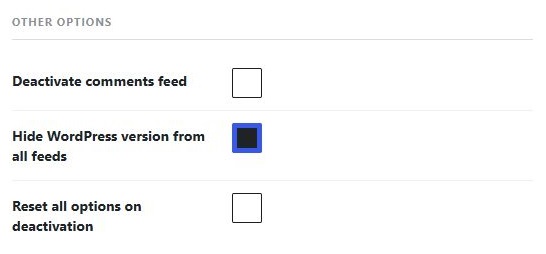
- Under Other options, enable Hide WordPress version from all feeds.
- Click Save Changes.
Check the output
Open a feed from the dashboard and inspect its XML source. Search for <generator>. The standard WordPress generator should no longer be present. If you use comments feeds or other formats, check their output separately.
If a generator remains
Clear any page or CDN cache serving an older feed. A theme or another plugin can add its own generator string independently. The presence of another generator does not necessarily mean this setting failed.
Keep security updates enabled
Continue updating WordPress, themes and plugins and using appropriate access controls. Removing the generator is a disclosure preference, not a substitute for patching vulnerabilities.