Start by checking the raw feed URL rather than the reader or newsletter preview. This separates a WordPress/feed problem from a receiving service that has not fetched the latest response.
Check these settings in order
- Publication status: confirm the post is published and its publication date is not in the future. Draft and private content should not be expected in a public feed.
- Correct URL: copy the intended feed URL from RSS Chimp → Start. A category or author feed is a different query from the main feed.
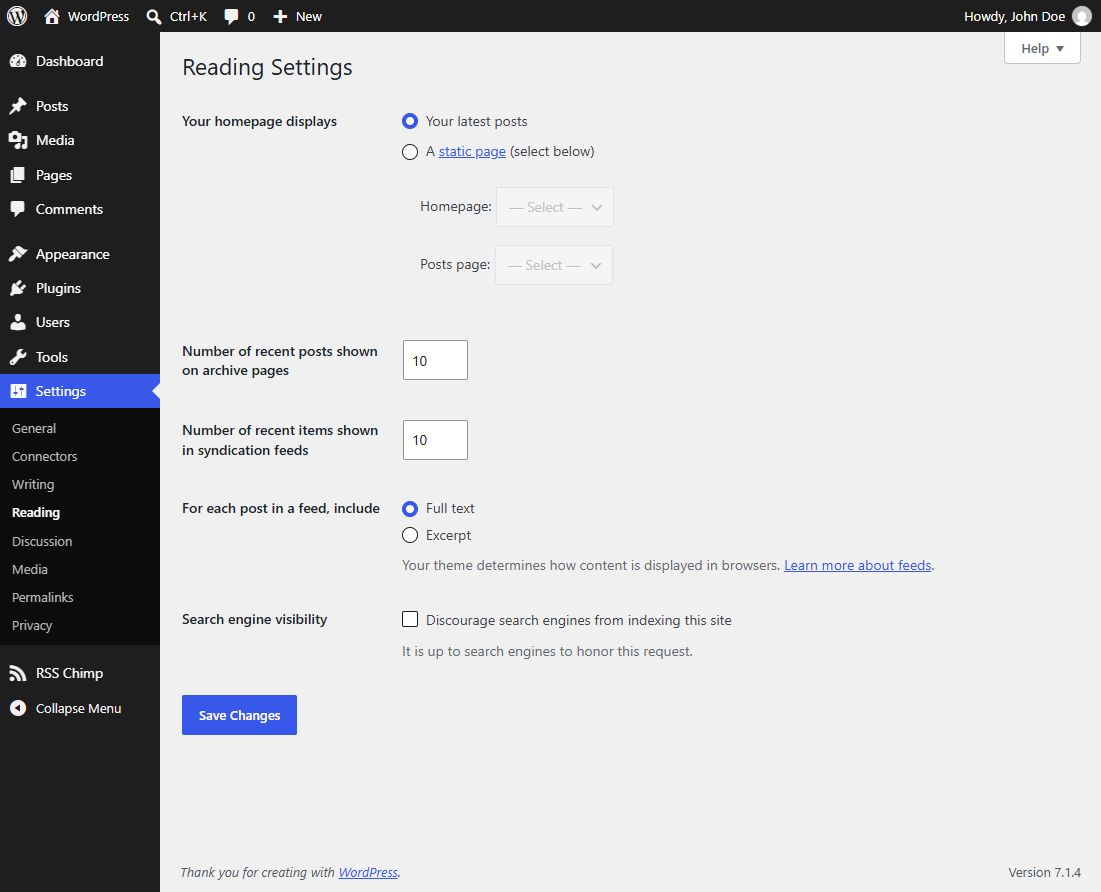
- Entry limit: check Settings → Reading → Number of recent items shown in syndication feeds. Older WordPress versions call this setting Syndication feeds show the most recent. Older posts may simply be beyond that limit.
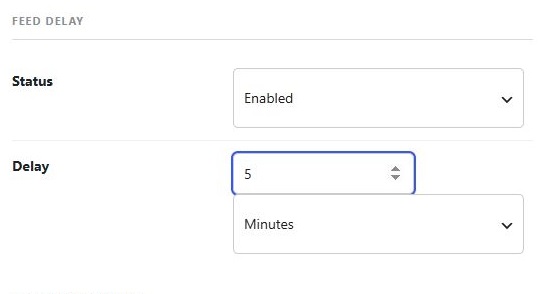
- Publication delay: in Pro, inspect the delay under General → Options.
- Caches: clear a page/CDN cache covering the feed and allow the receiving service to fetch again.
Custom-feed expectations
RSS Chimp 1.3.1 does not provide category/tag selection controls for individual custom feeds. Do not assume a custom slug filters posts by topic. Other plugins or a specific WordPress query can change which posts are selected.
Still missing?
On staging, test for conflicts with plugins that alter post queries, memberships or feeds. Avoid disabling access-control plugins on a public production site just to test a feed. Contact support with the public feed URL, an example post URL, publication time and timezone, plugin version and delay settings.
Example delay setting