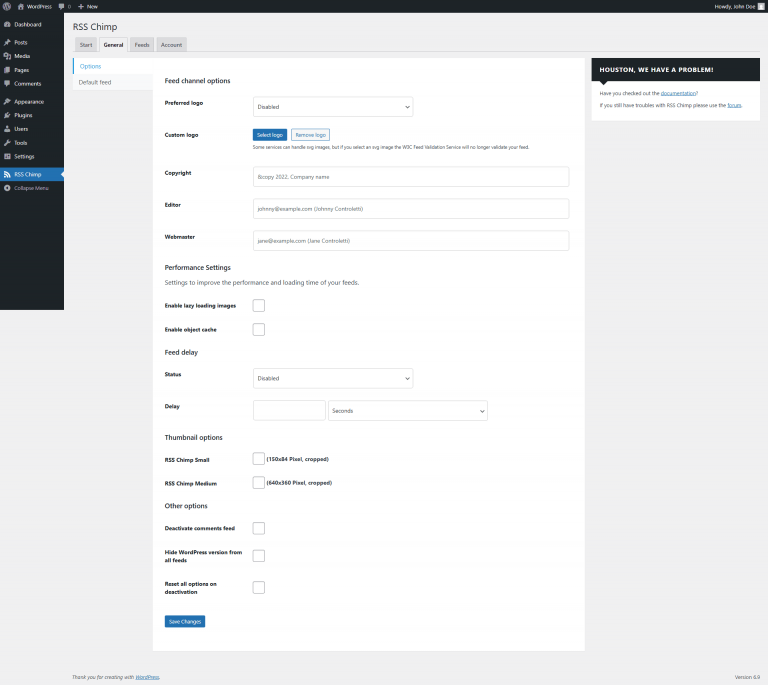
Go to RSS Chimp → Settings → General → Options
Enable "Enable object cache" and click "Save"

The RSS Chimp cache helps your feeds load faster and reduces the load on your server. When caching is enabled, RSS Chimp temporarily stores the generated feed output so it doesn’t have to rebuild the feed from the database on every request. By default, cached feed data is kept for about 1 hour and then automatically refreshed the next time the feed is requested.
Caching is especially useful if your site has many visitors or if you use automations (such as Zapier, newsletter tools, or social media schedulers) that regularly poll your RSS feeds. In these cases, the cache can make your feeds noticeably faster and help keep your site stable under higher load.
Steps to deactivate the global comments feed added by WordPress:
Go to RSS Chimp → Settings → General → Options
Enable "Enable object cache" and click "Save"
If you’ve updated content and want the changes to appear in your feed immediately:
Saving the settings automatically clears all RSS Chimp feed caches. The next feed request will generate a fresh version.